Basic Keyboard Shortcuts
On this page, we will learn basic keyboard shortcuts to use the computer faster and more easily.
Important note:
Keyboard shortcuts usually work in many Windows applications, including File Explorer, WordPad, and other programs.
However, some shortcuts only work when the application supports that feature.
For example, Ctrl + I (Italic) works in text applications, but not in File Explorer.
Start & Close Your Work
Before learning other shortcuts, let's learn how to start and close a file properly.
-
Ctrl + N → open something new.
This can be a new file, a new page, or a new window, depending on the program. - Ctrl + F4 → close the current file, tab, or page.
Tip: Ctrl + N is used to start working, and Ctrl + F4 is used to finish one task without closing the whole program.
Where Do These Shortcuts Work?
| Shortcut | Windows Explorer | Applications (WordPad, Word, etc.) |
|---|---|---|
| Ctrl + C (Copy) | ✅ Yes | ✅ Yes |
| Ctrl + V (Paste) | ✅ Yes | ✅ Yes |
| Ctrl + S (Save) | ❌ No | ✅ Yes |
| Ctrl + Z (Undo) | ⚠️ Limited | ✅ Yes |
| Ctrl + A (Select All) | ✅ Yes | ✅ Yes |
| Ctrl + B (Bold) | ❌ No | ✅ Yes |
| Ctrl + I (Italic) | ❌ No | ✅ Yes |
| Ctrl + U (Underline) | ❌ No | ✅ Yes |
Note: Some shortcuts depend on the features available in the application you are using.
1. Copy & Paste
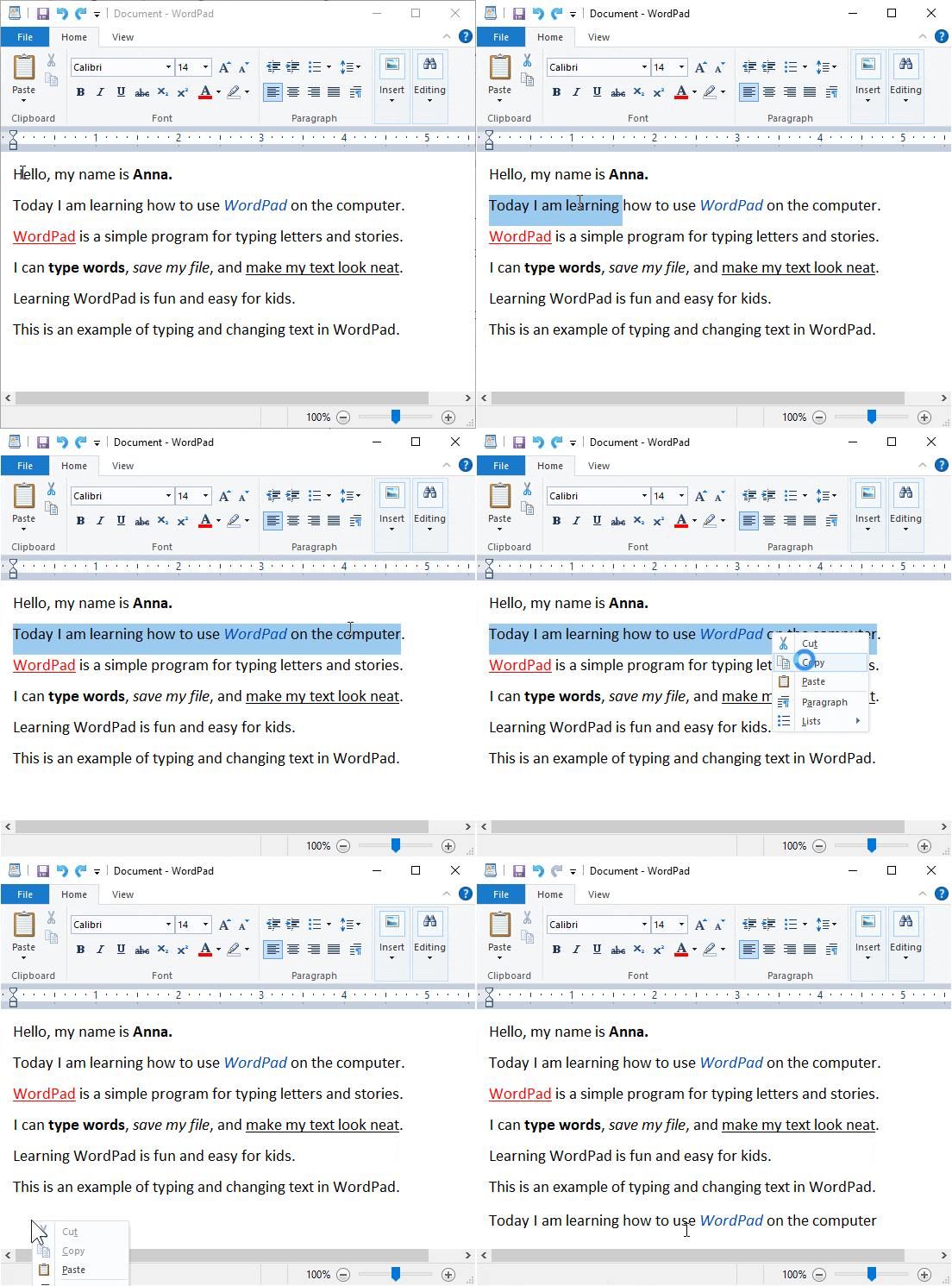
In this example, we use WordPad. We select some text, copy it, then paste it at the bottom of the page.
- Ctrl + C → copy the selected text or files.
- Ctrl + V → paste the copied content in a new place.
🎨 Want to Learn WordPad?
We use WordPad in this example. Click the button below to learn WordPad step by step!
👉 Learn WordPad for Kids2. Save & Undo
- Ctrl + S → save your work.
- Ctrl + Z → undo the last action.
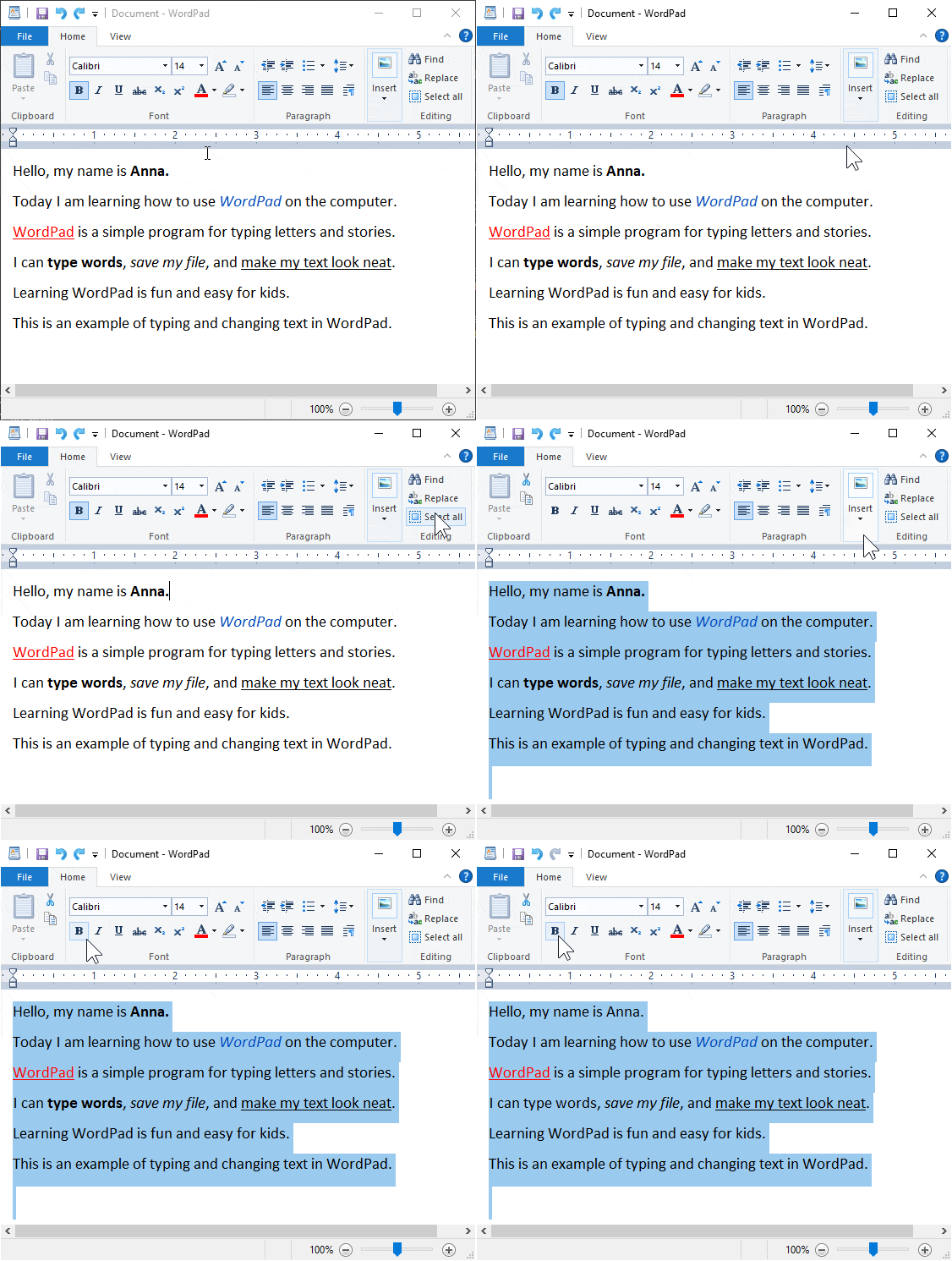
3. Select All & Bold
- Ctrl + A → select all text or files.
- Ctrl + B → make text bold.
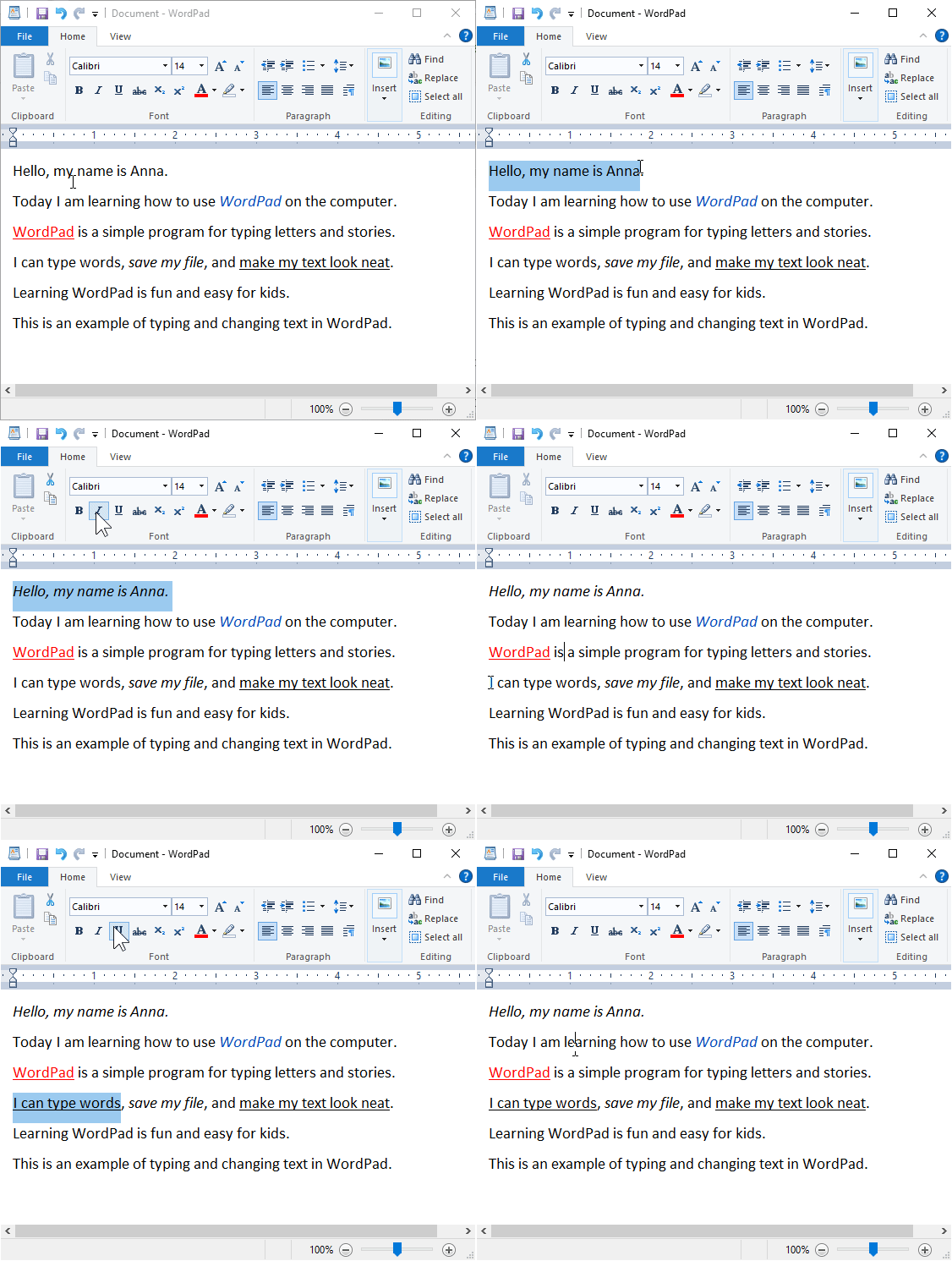
4. Italic & Underline
- Ctrl + I → make text italic.
- Ctrl + U → underline text.
5. Print & New
- Ctrl + P → print documents.
- Ctrl + N → create a new file or page.
6. Exit Program
After finishing your work, it is important to close the program properly.
- Alt + F4 → close the program or application.
Good habit: Save your work first (Ctrl + S), then exit using Alt + F4.
Save first, then exit the program safely
Additional visual materials will be learned directly during class sessions.