Part 2: Creating a New Document
Have you ever opened Microsoft Word but didn’t know where to start? Many beginners start typing immediately without understanding the proper initial steps. In fact, knowing the correct way to create a document greatly affects neatness and ease of editing later.
⏳ Training Duration: 2 Hours
🎯 Level: Beginner
🧠 Method: Theory, Case Studies
📦 Material Format: Interactive (offline/online)
📌 Requirement: Basic computer knowledge
🎯 Objective: Participants can open and save documents correctly in Microsoft Word.
In this section, participants learn the most essential foundation in using Microsoft Word: creating a new document with a well-structured layout from the start. Many beginners type directly without considering document settings, causing confusion when saving or editing later. By understanding these initial steps, workflow becomes organized and every document can be managed efficiently.
To start using Microsoft Word, you need to know how to correctly create a new document so your work is saved and organized.
- Typing immediately without creating a new document properly
- Not understanding the difference between Blank Document and templates
- Forgetting to save at the beginning
Steps to Create a New Document
- Open Microsoft Word.
- Select Blank Document from the start screen or click File > New.
- Start typing on the blank page provided.
Use the shortcut Ctrl + N to create a new document faster.
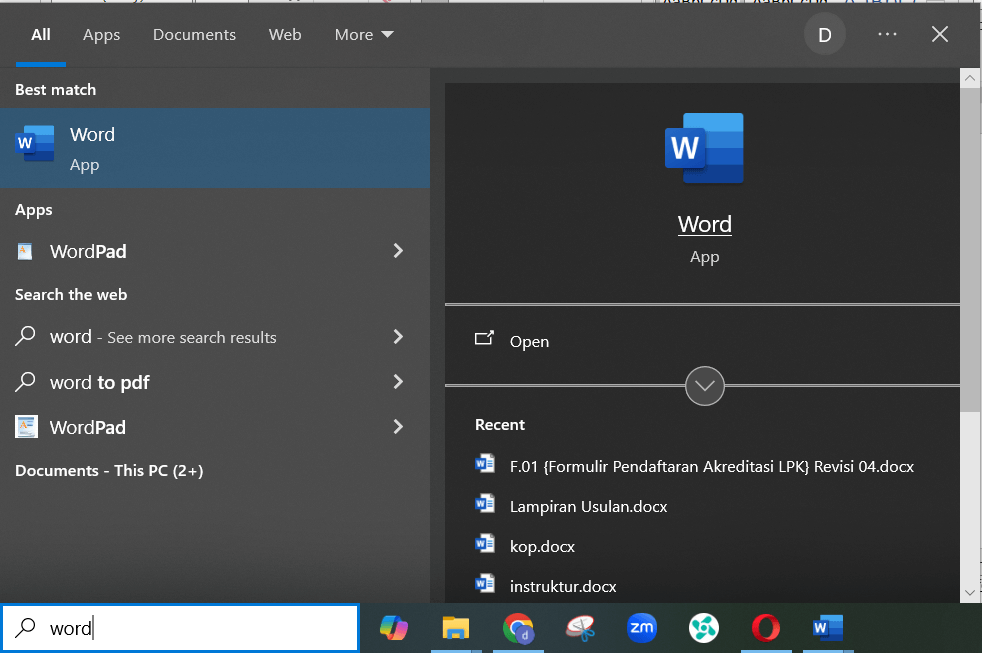
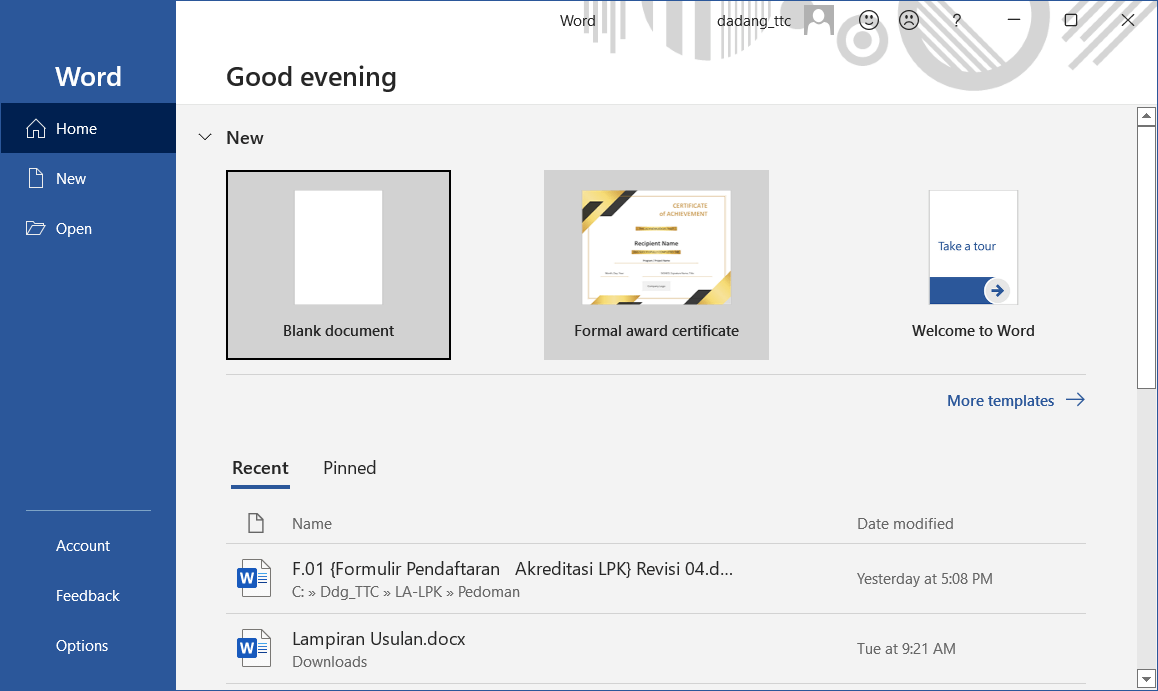
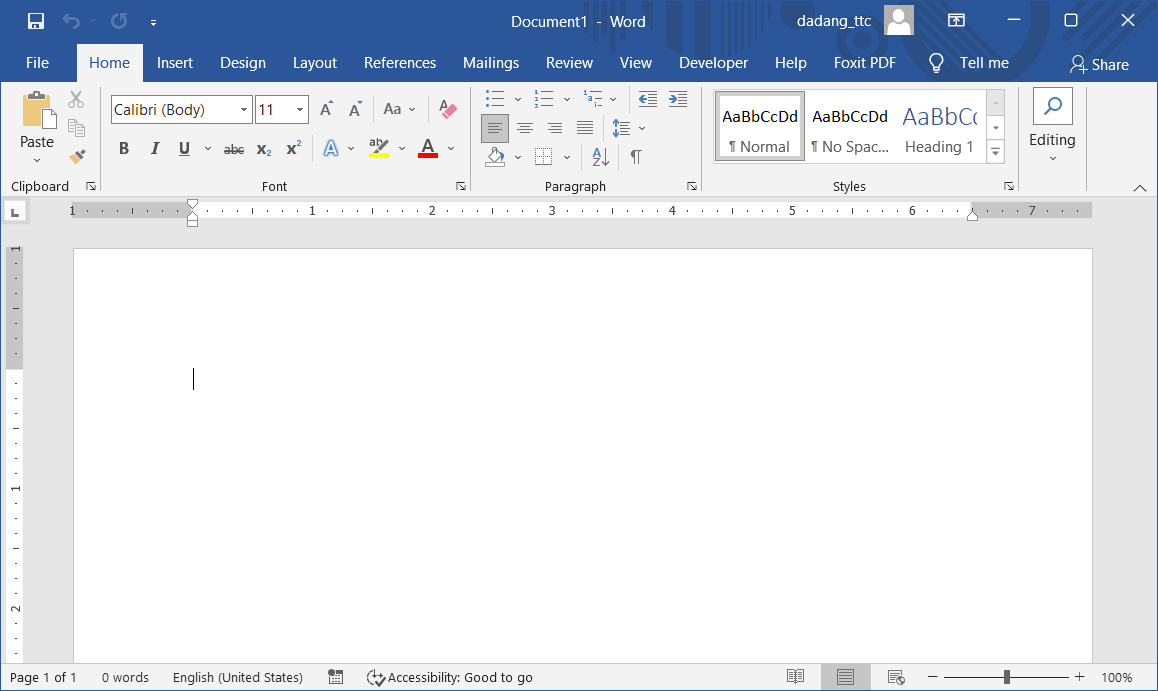
After creating the document, the next step is to save the file to prevent data loss. This will be discussed in more detail in the next section.
Imagine you are asked to create a simple letter. The first step is, of course, opening Word and creating a new document. Doing it correctly ensures your document is neat and ready for formatting in the next stage.
Conclusion
In this section, we have learned how to create a new document in Microsoft Word as the first step in working with documents. Understanding the proper way to start a document allows us to work more structured and prepares us for the next steps.
Next, we will learn how to save and protect documents so that data remains safe and secure.
Let’s continue practicing to become more comfortable using Microsoft Word in daily activities.
📝 Exercise:
- Create a new Word document and type a free paragraph.
- Save the document on the desktop with the name latihan_word.docx.