Hands-On Lab: Use Custom List in Excel
⏳ Duration: 30–45 Minutes
🎯 Level: Beginner – Intermediate
🧠 Method: Hands-on practice
📦 Format: Interactive, offline-friendly
📌 Requirements: Able to type and sort data in Excel
🎯 Goal: Learners understand how to use and create Custom Lists in Excel for faster data entry and sorting.
Excel has a hidden feature called Custom List that allows you to create lists of data that can be auto-filled or sorted easily — such as classmates' names, months, or departments.
📦 Case Study – Automate Input & Sort Classmates' Names
Do you often type the same classmates’ names repeatedly in Excel? Or want to sort data based on names but the result is all jumbled? Custom List is your solution!
✨ Steps to Create a Custom List
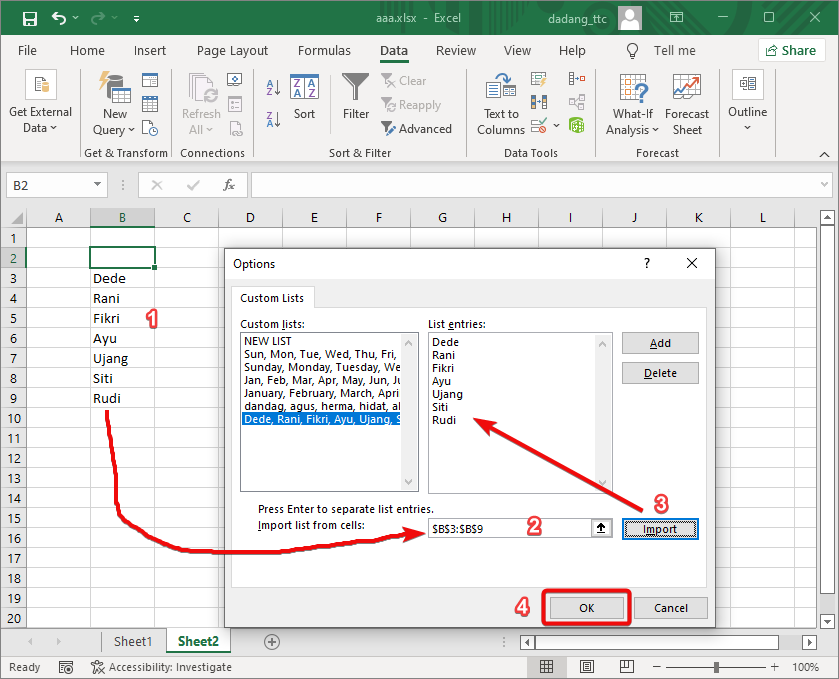
- Type a list of your classmates' names in a column (e.g.: Dede, Rani, Fikri, Ayu, Ujang, Siti, Rudi).
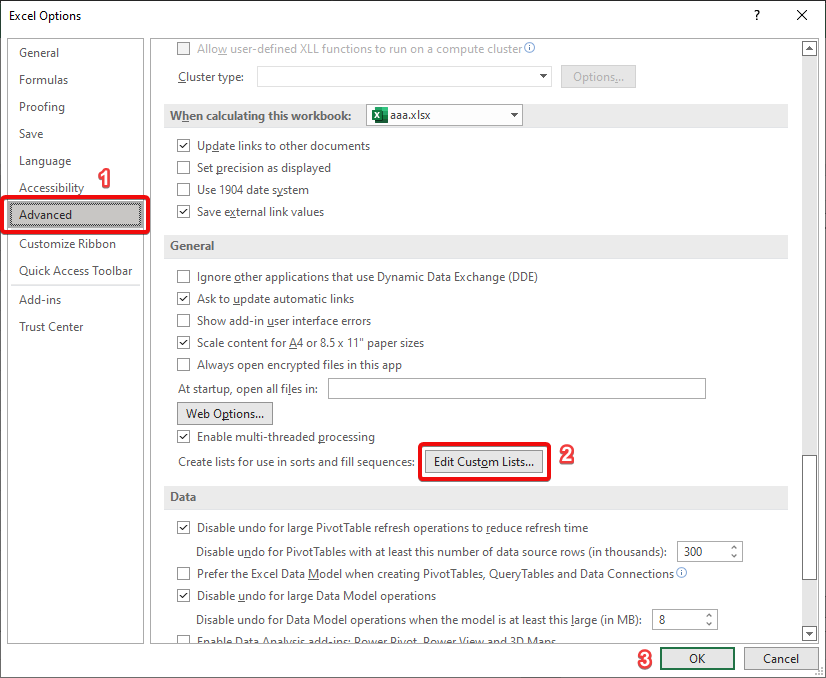
- Go to File → Options → Advanced, then scroll down and click Edit Custom Lists…
- Click the Import button to add your typed list to the custom lists.
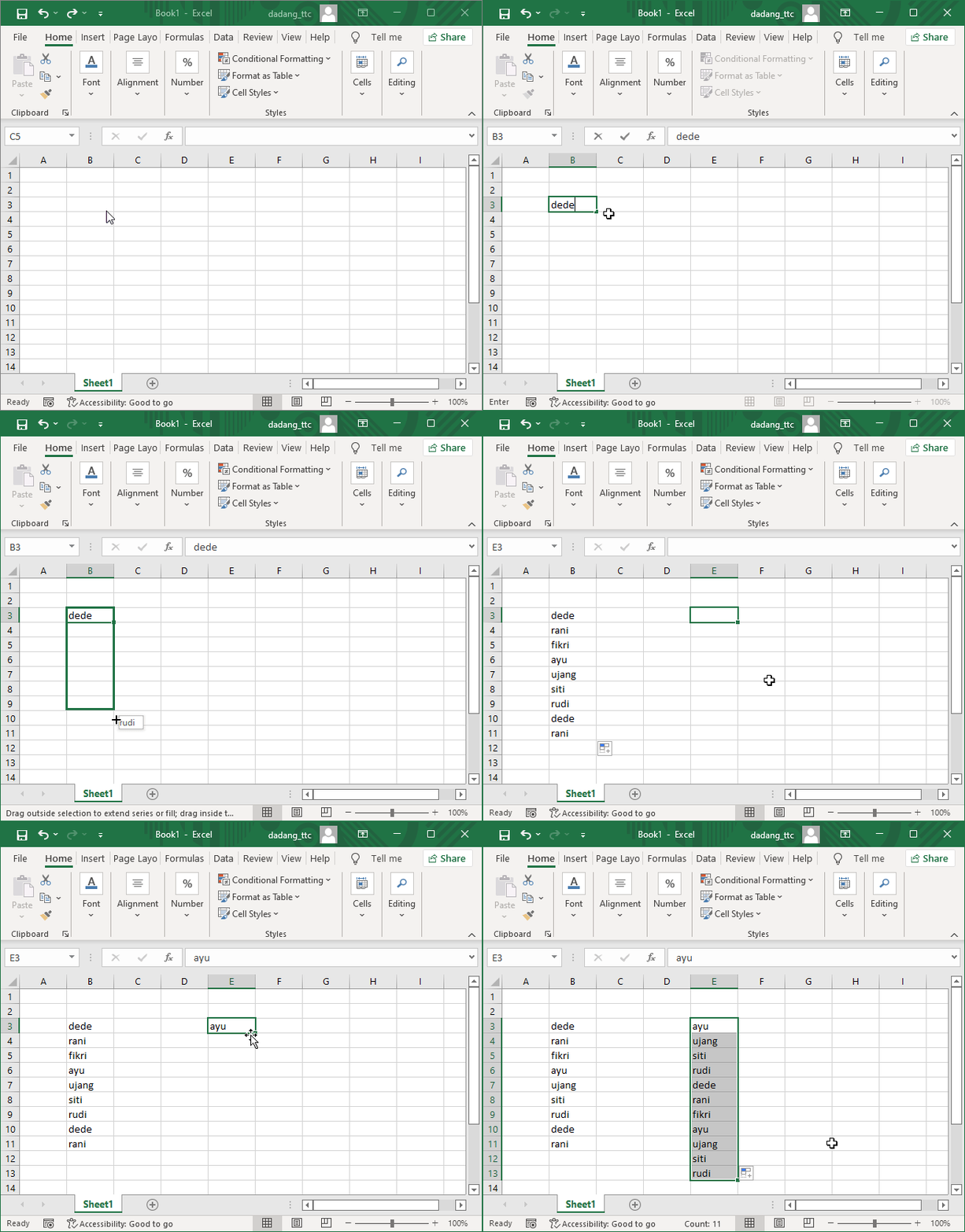
- Once saved, you can use this list for autofill and sorting.
After understanding the concept and steps for creating a Custom List in the case study above, it is now time to see its full implementation through a hands-on video. The following video uses an Excel file based on the same concept as the previous exercise, making it easier to observe how a Custom List is created, tested with autofill, and applied for data sorting and validation in real scenarios.
🎥 Video Tutorial: Custom List in Excel
📥 Sample Excel File (Custom List)
This Excel file is used in the video to demonstrate the Custom List feature in Excel, including how to create custom lists and apply them for data sorting and Data Validation.
⬇️ Download Excel Demo File💡 Extra Tips
- Custom List works great for repetitive data: class names, work shifts, student statuses, etc.
- Sorting will follow logical order—not alphabetic—based on your list.
- Create once and reuse in other Excel files.
📝 Practice:
- Create a list of weekdays or department names.
- Add it to Excel’s Custom List.
- Test using autofill and sorting in a sample table.
Want to Learn Excel & Computers for Free?
Check out our complete guides and join our free classes at TTC: