COUNTIF Function in Excel
What is the COUNTIF Function?
The COUNTIF() function is used to count the number of cells that meet a specific condition within a given range. This function is very useful when analyzing data, such as counting sales above a certain value or counting entries that match specific text.
Syntax
=COUNTIF(range, criteria)
- range: the cells to be evaluated.
- criteria: the condition to be met (e.g. ">70", "Store A").
Examples
Count the number of values in column C greater than 70:
=COUNTIF(C3:C9,">70")Count the number of cells containing the text "Store A":
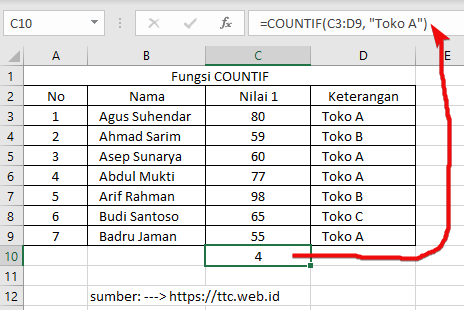
=COUNTIF(C3:C9,"Store A")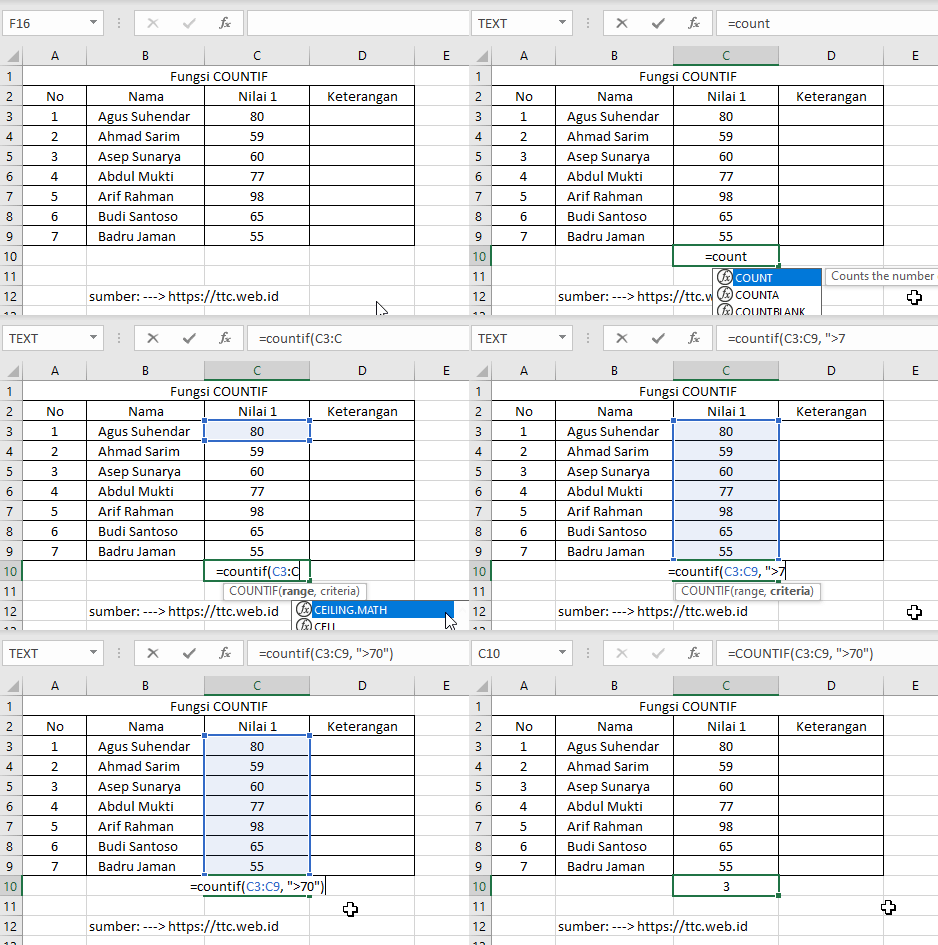
=COUNTIF(C3:C9,">70") in Excel.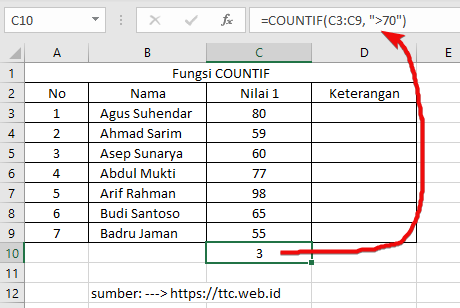
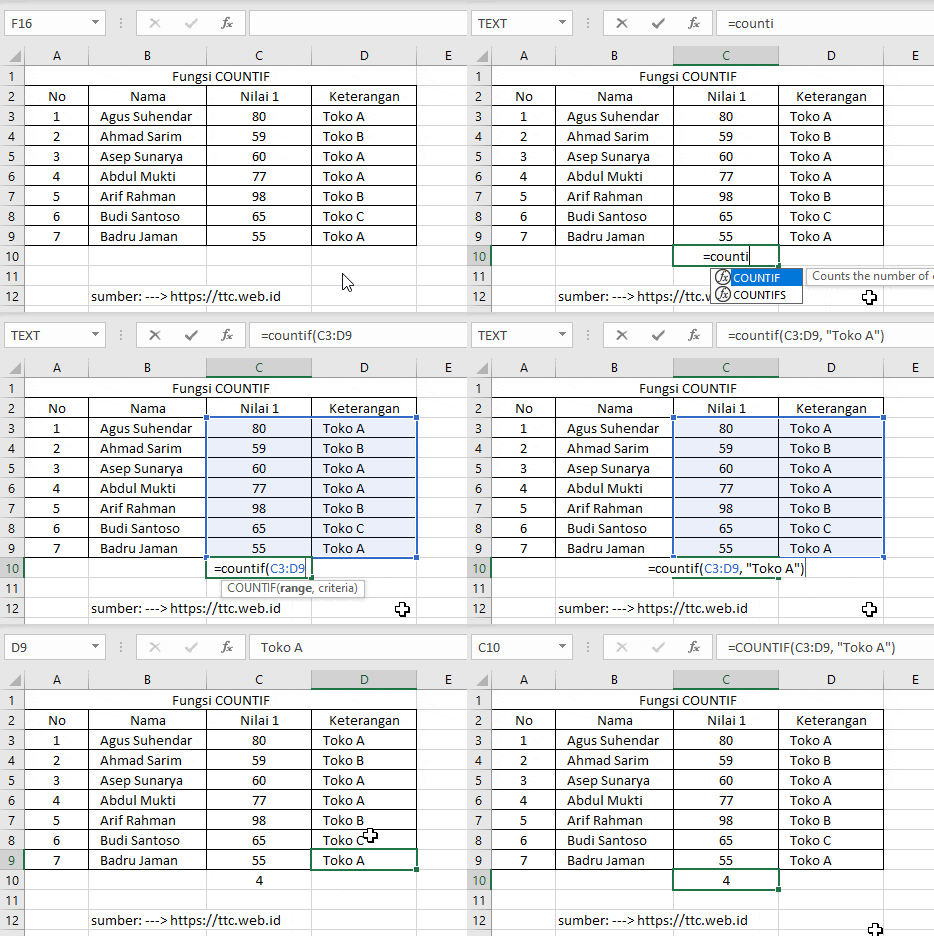
=COUNTIF(C3:C9,"Store A") in Excel.